
OpenAI Codex and Fantasy Football: What a Draft Assistant Teaches About Custom Software
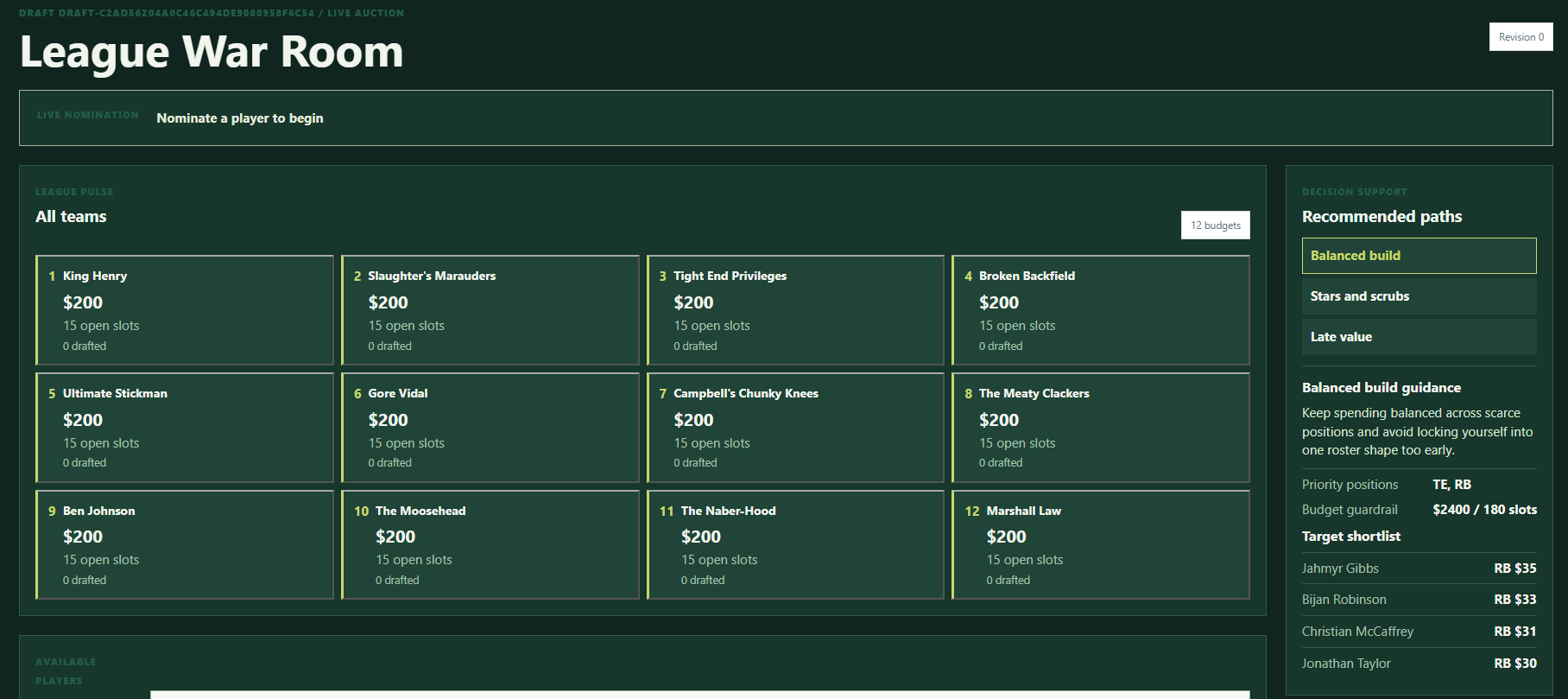
I play in a fantasy football league that is serious to me.
Every year, I try to gain an edge before our auction draft. In past seasons, I have built regression models, spreadsheets, and even Power BI dashboards to help me think through player values and roster construction.
This year, I used OpenAI's Codex to build my own local draft assistant.
It ran on my laptop during the draft, alongside the ESPN draft lobby.
Was it overkill for fantasy football?
Maybe.
Was it useful?
Yes.
But the bigger lesson has very little to do with football.
The interesting part is that this was a unique piece of software I wished existed. A year or two ago, it would not have made sense for me to build it. The time, cost, and technical lift would have been too high for such a specific use case.
Now, with AI coding tools like OpenAI Codex and Anthropic's Claude, small, specific software ideas can become much more practical.
That has real implications for businesses.
Quick Answer: What Does Codex Make Possible for Custom Software?
OpenAI Codex and similar AI coding tools can make custom software more practical by reducing the time and cost required to build niche tools, internal apps, dashboards, automations, and workflow-specific systems. They do not remove the need for clear requirements, testing, data quality, or human judgment, but they can make previously impractical software ideas worth reconsidering.
Simple version:
AI coding tools do not make every app worth building. They make more useful, specific apps possible.
That distinction matters.
The Fantasy Football Draft Assistant
The draft assistant combined three main functions.
Projection Engine
I imported CSV projections from different sources.
The projection engine averaged underlying statistics and applied my league's scoring rules. That mattered because generic rankings are not enough in an auction draft. Player value depends on scoring settings, roster structure, replacement value, and the specific constraints of the league.
The software gave me a way to turn outside projections into a scoring model that fit my draft.
Roster and Auction Intelligence
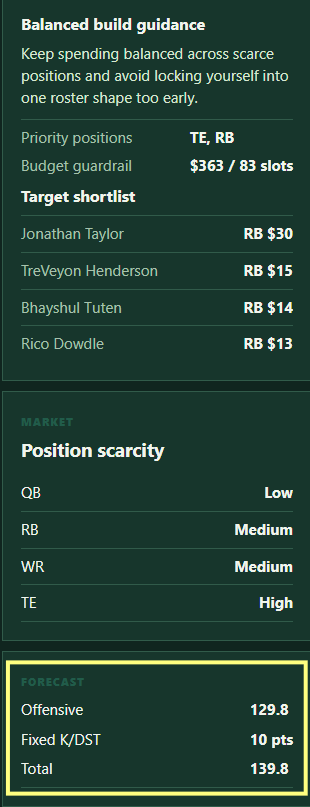
I gave the tool a weekly point target I wanted the roster to achieve.
The assistant modeled all 18 weeks of the season, including bye weeks, roster requirements, flex limits, and the auction budget. It calculated player values, maximum bids, and the estimated chance of reaching the weekly points target.
That is the kind of logic that quickly outgrows a normal spreadsheet.
You can do pieces of it manually. But live auction decisions move fast. The value was not just having the math. The value was having the math available during the decision.
Live Draft Room
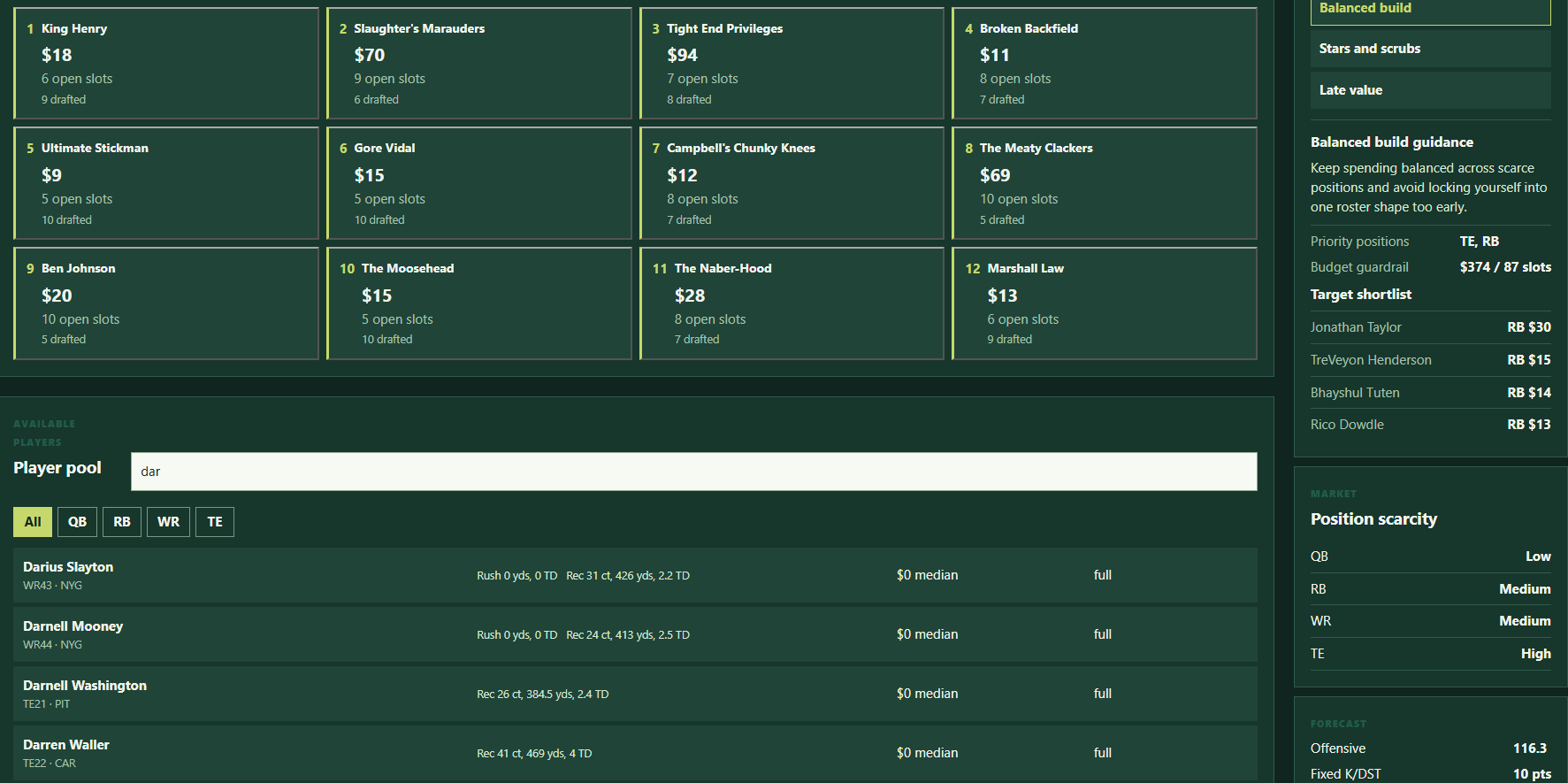
The tool ran locally in a browser interface while the draft happened.
I manually recorded nominations, winning teams, and prices. The assistant updated every team's roster and budget, the available-player pool, market inflation, and player recommendations.
It was not fully automated.
I still had to enter draft results.
But it gave me a live operating picture during the draft instead of forcing me to juggle static rankings, memory, and a spreadsheet under time pressure.
The Technical Stack
The app was not a giant software project.
It used:
- Python and FastAPI for the backend
- A local SQLite database
- A React and TypeScript browser interface
- MILP-based lineup and roster optimization using SciPy
That stack matters less than the lesson behind it.
AI coding tools helped make a purpose-built application practical for a niche workflow.
That is the business-relevant part.
What This Has to Do With Business
Most businesses have workflows that are too specific for off-the-shelf software to fit perfectly.
The CRM does 70 percent of what you need.
The spreadsheet fills another 15 percent.
The rest lives in someone's head, inbox, notebook, or weekly copy-and-paste routine.
For years, many companies accepted that gap because custom software was expensive.
The business case had to be big enough to justify discovery, design, development, testing, deployment, maintenance, and support.
That is still true for large, mission-critical systems.
But AI coding tools are changing the math for smaller internal tools.
Ideas that used to be too niche may now be worth exploring:
- A quote assistant for a specific service line
- A field operations dashboard
- A project intake tool
- A customer follow-up tracker
- A reporting assistant
- A scheduling helper
- A workflow-specific calculator
- A document review tool
- A local planning app for a team
These are not always venture-scale software products.
They are practical business tools.
And that is exactly why they matter.
Custom Software Does Not Have to Mean Huge Software
When people hear "custom software," they often imagine a massive project.
Six months. Big budget. Complicated launch. Endless meetings.
Sometimes custom software is that.
But many useful tools are smaller.
They solve one specific problem:
- Help a manager make a better decision
- Reduce manual data entry
- Connect information from multiple sources
- Standardize a recurring process
- Make a complex calculation easier
- Turn messy data into a useful view
- Help a team act faster with better context
The fantasy football assistant was not trying to replace ESPN, Sleeper, Yahoo, or a full fantasy platform.
It did one job for one workflow.
That is often the right way to think about internal business software too.
The goal is not always a big platform.
Sometimes the goal is a focused tool that makes a recurring decision easier.
AI Coding Tools Lower the First Barrier
OpenAI Codex, Claude, and other AI coding tools can help with:
- Scaffolding a project
- Writing boilerplate code
- Building interfaces
- Creating data models
- Connecting APIs
- Writing tests
- Debugging errors
- Refactoring code
- Explaining technical tradeoffs
- Speeding up iteration
That can dramatically reduce the distance between "I wish this existed" and "I have a working prototype."
But lower barrier does not mean no barrier.
AI-generated code still needs:
- Clear requirements
- Good data
- Human review
- Testing
- Security awareness
- Maintenance
- Error handling
- A real understanding of the workflow
The tool can help build.
It cannot decide whether the thing is worth building.
That is still a business decision.
The Real Question: What Software Do You Wish Existed?
The fantasy football draft assistant started with a simple observation:
I wish this existed for my exact draft process.
That is a useful question for business owners too.
Ask:
- What tool do we wish existed for our workflow?
- What spreadsheet has become too important?
- What process depends on one person's memory?
- What calculation do we keep rebuilding?
- What report takes too long to assemble?
- What decision would be easier if the right data were in one place?
- What customer-facing process could be smoother with a small internal tool?
Do not start with "Can AI build us an app?"
Start with the work.
Then ask whether a small custom tool could remove friction.
When a Custom App Might Make Sense
A custom app or internal tool may make sense when the work is:
- Repeated often
- Specific to your business
- Hard to handle with existing tools
- Important enough that mistakes matter
- Dependent on multiple sources of information
- Too complex for a simple spreadsheet
- Too valuable to leave as tribal knowledge
- Not well served by generic software
That does not mean you should build everything.
Some problems are better solved by using existing software properly. Some can be fixed with a spreadsheet, form, CRM workflow, or automation tool. Some processes should be simplified before software touches them.
But some ideas deserve a second look now.
AI coding tools can make the first version cheaper, faster, and easier to test.
What I Would Improve Next Time
The draft assistant worked, but it was not perfect.
Two obvious improvements stand out.
First, I would spend more time improving the projections.
The tool is only as good as the inputs. Better projections, better weighting, and better assumptions would improve the recommendations.
Second, I would find a way to update draft results automatically.
Manual entry worked, but it was still a point of friction. If the draft room could update results automatically, the assistant would become much more useful during live decision-making.
Those lessons apply to business software too.
Data quality matters.
Workflow friction matters.
The first version teaches you what the second version should fix.
The Business Lesson
The end result is that I was happy with the team I drafted.
Of course, I have no idea how happy I will be after 18 weeks.
That is sports.
But the software lesson is clearer.
AI coding tools can make it practical to build unique tools that would not have made financial sense before.
That does not mean every idea should become software.
It means more ideas are worth testing.
For small and mid-sized businesses, that can be a real shift.
The useful question is not:
Can AI write code?
It can.
The useful question is:
What business process could we improve if custom software were no longer automatically too expensive to consider?
That is where the opportunity is.
FAQ: OpenAI Codex and Custom Software
What is OpenAI Codex used for?
OpenAI Codex is used to help build, edit, debug, and reason about software. It can assist with creating applications, internal tools, automations, interfaces, data models, tests, and code changes.
Can AI coding tools build custom business software?
AI coding tools can help build custom business software faster, especially prototypes and focused internal tools. They still require clear requirements, testing, human review, security awareness, and ongoing maintenance.
Are AI coding tools useful for small businesses?
Yes. AI coding tools can make smaller custom software projects more practical for small businesses by reducing development time and helping teams test ideas that previously felt too expensive or niche.
When should a business build custom software instead of buying a tool?
A business should consider custom software when the workflow is specific, repeated often, important to operations, hard to fit into generic software, and valuable enough to justify building and maintaining a focused tool.
What is the risk of AI-assisted software development?
The risks include unclear requirements, weak testing, security issues, bad assumptions, fragile integrations, and building tools that do not actually fit the workflow. AI speeds up development, but it does not replace product judgment.
Ready to Revisit the App Idea You Shelved?
If you have an app, automation, dashboard, or internal software idea that never made financial sense to build before, book a discovery call. We can help you figure out whether AI-assisted development makes it practical now.
Want this working in your business?
Grab the free ebook for the full playbook, or book a call and we'll map out where AI and automation fit for you.